MOBILE PRODUCT EXPERIENCE · RELEASED
Conquer
Voice+
Conquer’s first purpose-built mobile experience, created in response to strong demand from users of its Salesforce-based product. Voice+ helps field sales teams call, capture activity, and keep Salesforce current while working away from their desks.
My Role
Sole UX/UI designer
Platform
iOS, Android + Salesforce
Industry
B2B SaaS · Sales technology
Scope
Product strategy, mobile UX/UI, prototyping + developer handoff
Tools
Figma · Miro
Status
Released in 2026
Call. Capture.
Keep moving.
Designed around the moments before, during, and immediately after a customer interaction.
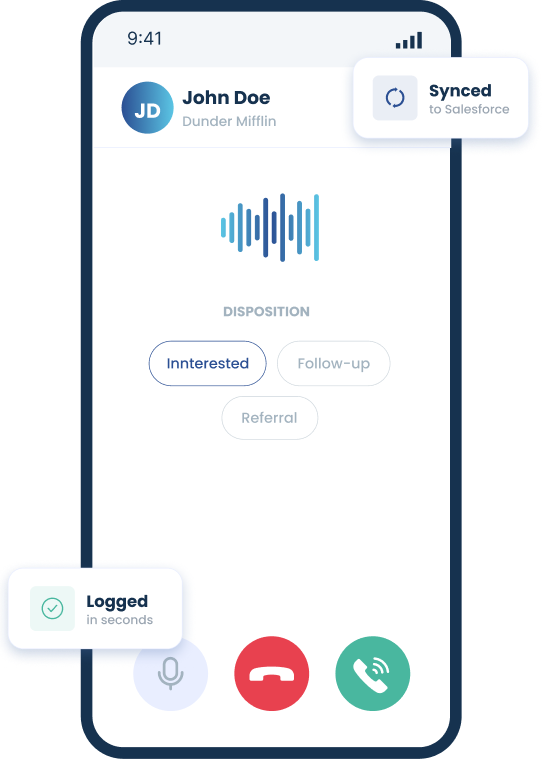
-

Available on iOS + Android
A consistent mobile experience for sales reps working away from their desks.
-

Calls captured in under 30 seconds
After a customer call, reps can quickly add notes and an outcome while the details are still fresh.
-

Automatically synced to Salesforce
Call activity becomes visible to the wider team without separate desktop data entry.
Design the mobile experience Salesforce users had been asking for.
Conquer’s Salesforce users relied on the desktop experience to manage calls and customer activity, but its limited mobile presence left a significant gap for people working in the field. Users had repeatedly requested a way to take these workflows on the go.
Field sales teams move between calls, customer sites, and in-person meetings. The product needed to make Salesforce useful in those moments: surface the right context before an interaction, reduce friction while calling, and capture activity while the details were still fresh. The experience also had to create reliable, structured visibility for managers without placing more administrative burden on reps.
The opportunity was to design Conquer’s first purpose-built mobile app from the ground up: giving reps the context and tools they needed before, during, and after customer interactions while keeping activity reliably connected to Salesforce.
— The Opportunity
Familiar from the first interaction.
Because Voice+ connects directly to users’ Salesforce accounts, the experience needed to feel like a natural extension of an existing workflow—not an unrelated mobile product. I drew from established Salesforce design-system patterns, terminology, and interaction conventions while adapting them for faster, more focused mobile use.
The goal wasn’t to reproduce Salesforce on a smaller screen. It was to preserve the mental models users already understood while prioritizing the actions that mattered on the go.
— Designing for familiarity
— The Experience
A connected workflow around every customer interaction.
-
01
Prepare with context
Give reps access to contact history, previous notes, and Salesforce activity before they walk into a meeting or place a call.
-
02
Call without app-hopping
Keep essential calling actions close at hand with a focused mobile interface and clear in-call states.
-
03
Capture while it’s fresh
Turn notes, outcomes, participants, and meeting recaps into a short, guided task instead of evening administrative work.
-
04

Close the loop
Confirm that an interaction has been logged and synced so both the rep and their manager can trust the Salesforce record.
— The Experience
Make the essential actions feel immediate.
The public product experience focuses on speed, context, and confident completion. These released screens show how calling, note capture, dispositions, and Salesforce history work together as one mobile workflow.
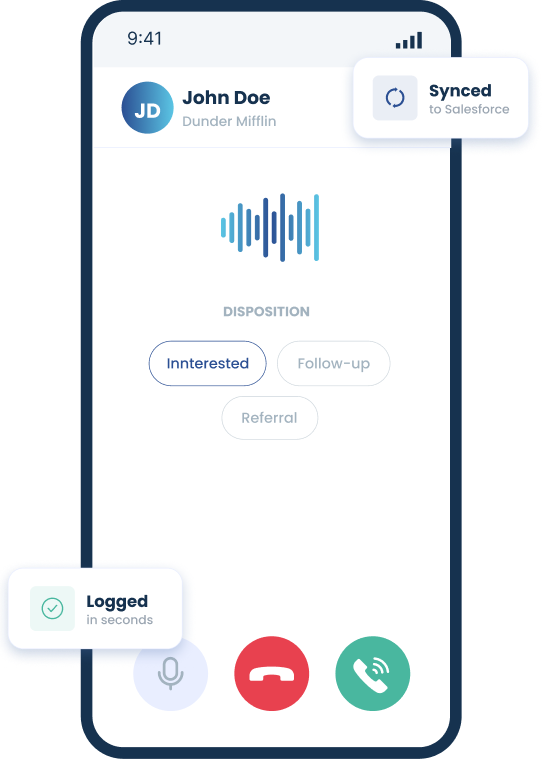
Move directly from context to conversation.
Reps can call a contact or record an in-person meeting without moving between disconnected tools.
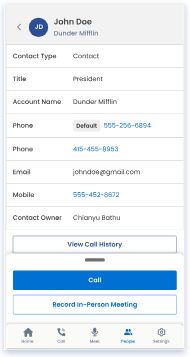
Walk into every conversation informed.
Contact details, account information, and recent history provide the context reps need before an interaction.
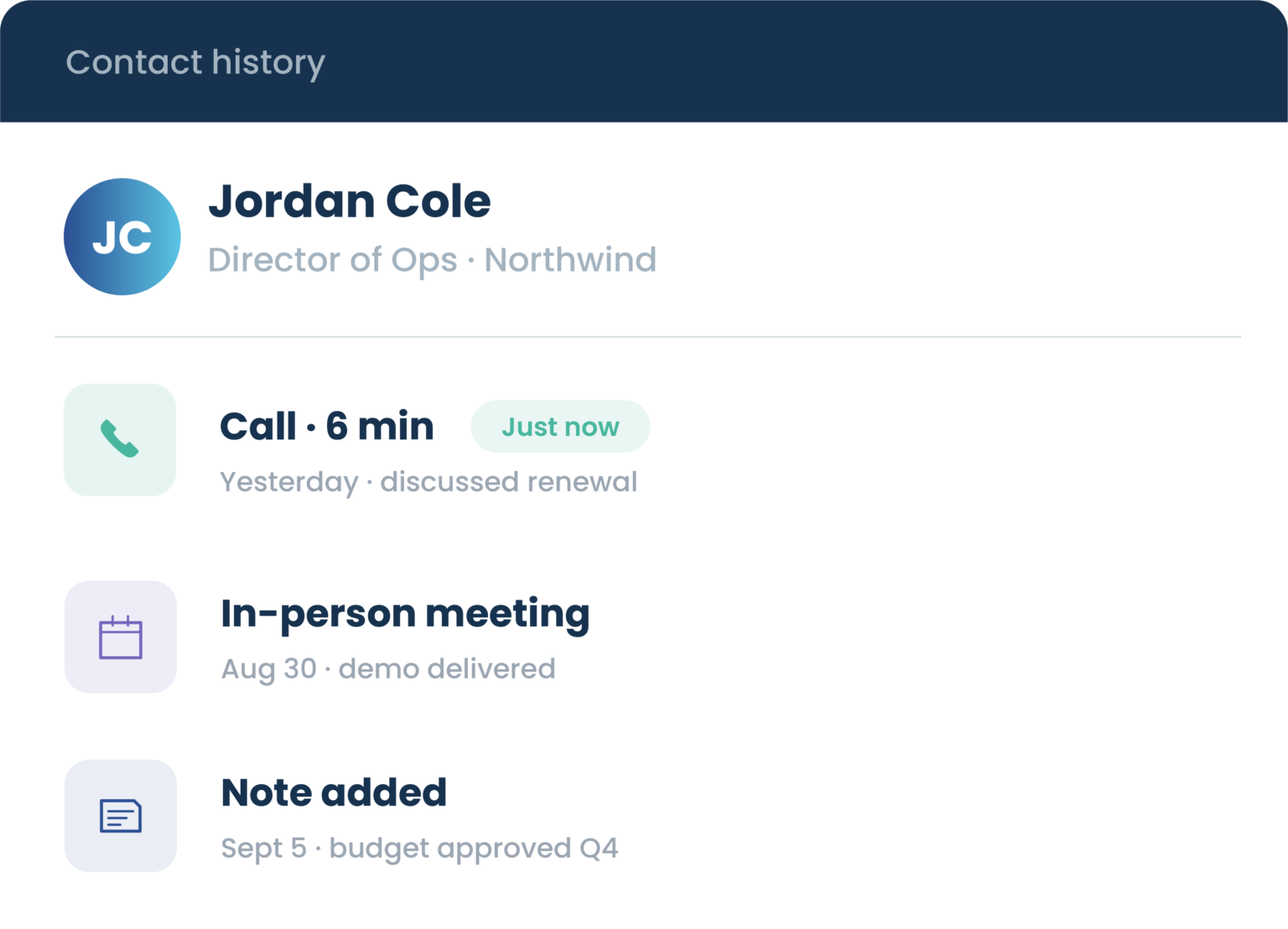
Carry the relationship forward.
Calls, meetings, and notes create a shared Salesforce history that supports the next interaction.
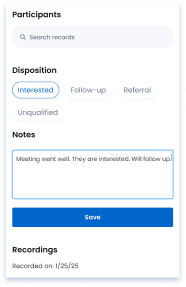
Capture the outcome while it’s fresh.
Voice notes, structured outcomes, and visible sync states turn post-call documentation into a short, guided task.
— Key Design Decisions
Reduce effort without reducing accountability.
Keep the mobile hierarchy focused
Prioritize the small set of actions field reps need repeatedly rather than shrinking the full desktop product onto a phone.
Why it matters
Less scanning and fewer competing actions make the app faster to use between meetings.
Make system status unmistakable
Use clear states to communicate when a call is in progress, when an interaction has been logged, and when information has synced to Salesforce.
Why it matters
Reps should never wonder whether their work was captured or whether they need to repeat an action.
Structure the useful details
Pair flexible notes with structured outcomes and participant selection that can support reporting.
Why it matters
The workflow remains quick for reps while producing more consistent, useful information for managers and the wider team.
Design around interruption
Keep critical call states, saved progress, and next actions visible as reps move through the mobile workflow.
Why it matters
Field work is fragmented, so users need to resume their work without losing context.
Turning a complex Salesforce workflow into a focused mobile product.
As the sole UX/UI designer, I led the mobile experience from its earliest workflow definitions through polished UI and implementation review. I worked closely with product and engineering to translate complex Salesforce-connected processes into a focused experience for field sales teams.
In Miro, I mapped user journeys, system relationships, and the way information would move between Voice+ and Salesforce. I then designed and prototyped the complete mobile experience in Figma, using familiar Salesforce patterns to create continuity between the two products.
— My Role
Product definition and mobile experience strategy

End-to-end user and data flows
Information architecture and navigation
Wireframes and interactive Figma prototypes
Salesforce design-system alignment
Polished mobile UI and interaction states
Detailed specifications and developer handoff
Cross-functional reviews and implementation QA
The Result
A field-sales experience built around momentum.
Voice+ gives reps a faster way to prepare, connect, and document their work while keeping Salesforce current for the wider team. The released product demonstrates the value of designing around the real conditions of field work rather than adapting a desk-based workflow after the fact.
Need a complex workflow to feel this focused?
I partner with product teams across strategy, flows, UI, specifications, and implementation - especially when the experience has to work inside a larger platform.